Smart Search in Seedr: Cosa funziona oggi e cosa c'è in programma
The short version
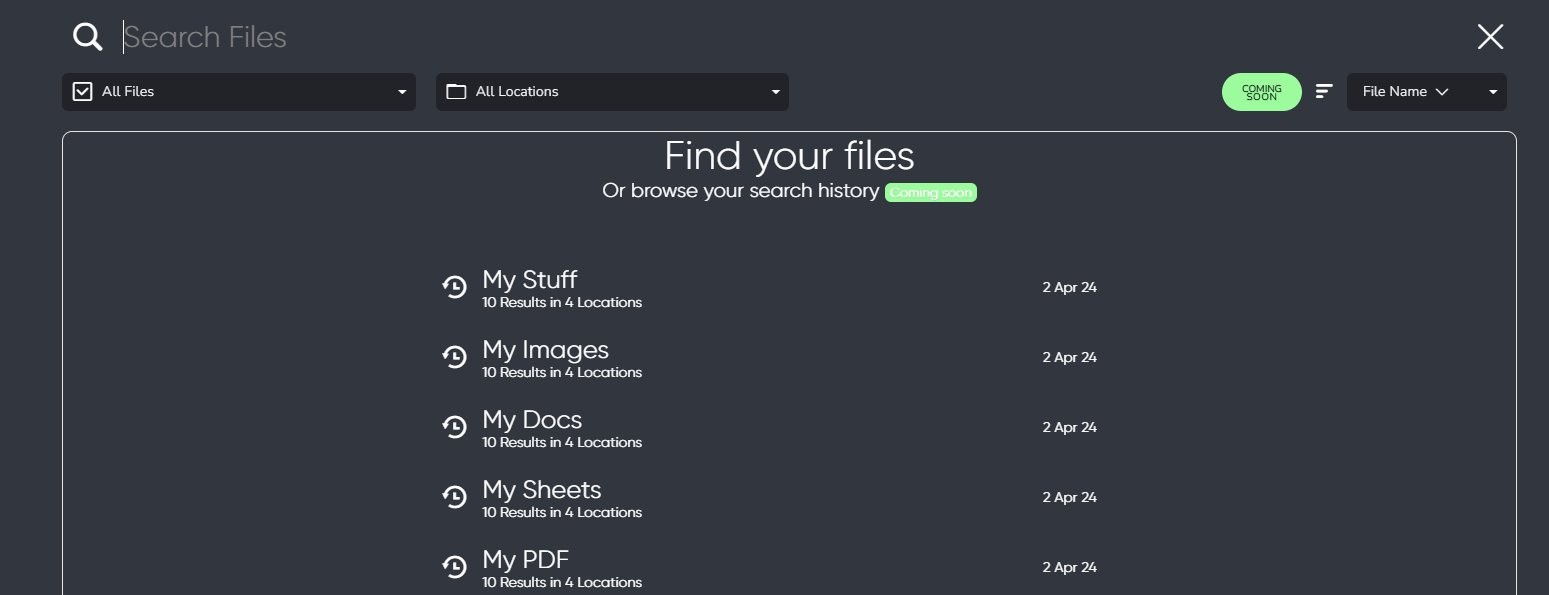
Today, Seedr supports filename search across your account. "Smart Search" — content-aware search inside files, plus searching across linked services — is on the roadmap, not shipped. This post is a roadmap teaser so you know what is real now, what is coming, and what to expect.
Why search matters on a cloud drive
If you only ever had five files, you would not need search. Most Seedr accounts hold hundreds or thousands by year two. Names drift. You save "episode01.mkv" and forget where. You dump a research PDF into the root and come back three months later looking for "climate biodiversity."
Search is the tool that rescues the messy-but-normal way people actually use storage. The goal is: type a few words, get the right file.
What works today: filename search
The search bar is at the top of your Seedr dashboard. It searches filenames across every folder in your account.
- Name matching. Partial matches work. Type "ubuntu" and you get every file or folder with ubuntu in the name.
- Fuzzy typing. Minor typos usually still match.
- Sort by name, size, or date. Click any column header in the file list.
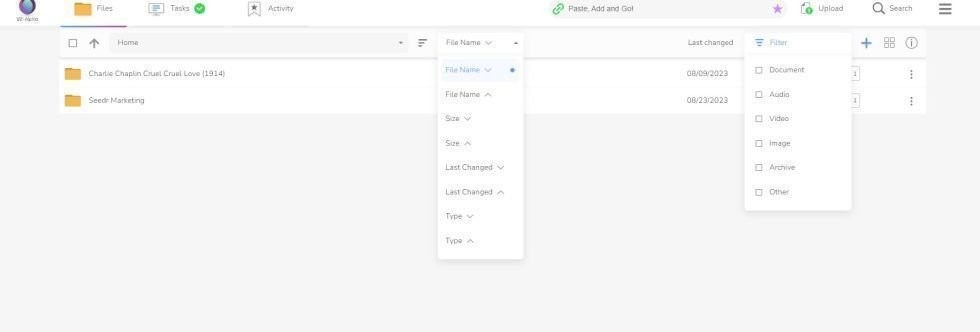
Filename search is fast and covers the most common case: "I know what I called it, I just do not remember where I put it."
Where filename search falls short
If you save files without descriptive names (or pull in a batch of downloads that ship with cryptic filenames), filename search cannot help you. You typed "File_001.pdf" last March — today, you remember the paper was about climate biodiversity, but the filename has no such clue.
That is the problem content-aware search solves. It looks at what is inside the file, not just the label on the box.
On the roadmap: content search
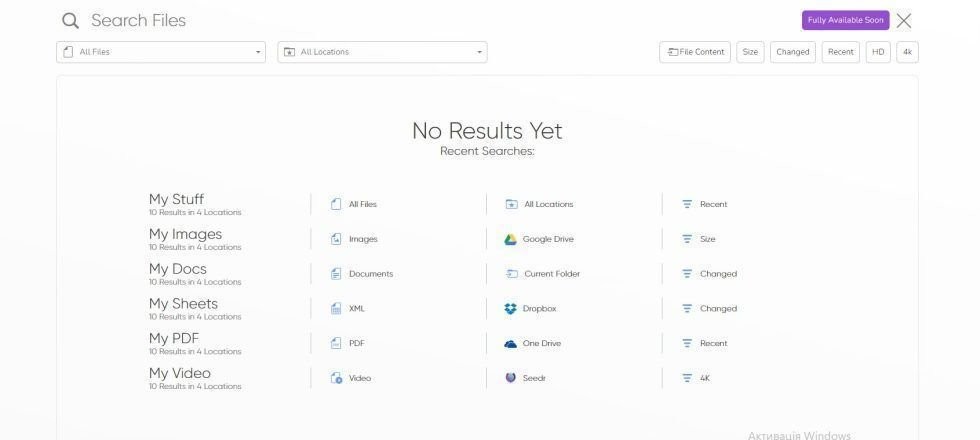
Seedr is working on indexing the text inside supported file types — PDFs, documents, subtitles, and similar. When shipped, you will be able to type a phrase and get back files whose contents contain that phrase.
Honest caveats, so we do not overclaim:
- Not live yet. This is a roadmap item. There is no ETA we are ready to commit to publicly.
- Text-based files only. Scanned PDFs without OCR will not match. If the file has no extractable text, there is nothing to index.
- Indexing takes time. New files will take a moment after upload before they are searchable.
- Privacy model is still being designed. We will publish the details before we turn it on.
If you want to search content today, a workaround is to give files descriptive names at upload time. That turns a content-search problem into a filename-search problem, which already works.
On the roadmap: cross-service search
The second half of "smart search" is scope. Today, Seedr search stays inside Seedr. A planned feature lets you search across your connected services in one query — for example, your Seedr files plus a linked Google Drive or Dropbox.
This is genuinely hard (each service has different APIs and index guarantees), so the first version will probably ship for a subset of integrations. We would rather ship a useful two-service search than a brittle ten-service one.
What you can do now to make future search work better
The search tools of tomorrow still depend on sensible inputs. A few habits pay off when content search ships:
- Rename at upload. Turn "0001.pdf" into "climate-biodiversity-2023.pdf" the moment you save it.
- Use folders loosely. Broad buckets (work, movies, research) are better than deep nesting.
- Tag in the filename. A shorthand like [invoice] or [draft] in the name makes filename search useful.
See organize files in Seedr for the practical guide.
Stay tuned
When content search and cross-service search hit beta, we will post a hands-on walkthrough — not another teaser. Honest labels, shipped features.
Questo articolo ti è stato utile?
Articoli Correlati

Is Seedr right for you? What it does and its limits
Who Seedr fits and where its limits are: link support, storage, playback quality, TV and protocol access, connected storage and seeding time.
Seedr glossary: cloud downloading terms explained
Plain definitions of cloud downloading terms, from remote downloads and magnet links to WebDAV, FTP, TV playback and seeding limits, with links to Seedr Help.

Modifica un PDF online senza Acrobat — cosa funziona davvero
Modifica o compila PDF direttamente nel tuo browser con Seedr. Correggi errori di battitura, aggiorna dettagli e completa moduli senza stampare, scansionare, installare Acrobat o destreggiarti tra strumenti separati.