Best free download sites for movies, books, and music

Find free movies, books and music through reputable archives and creator-authorized catalogs, then check the terms for the particular item. Free access is not the same as permission to download, redistribute or reuse a work commercially.
This piece is a directory of the sources worth bookmarking, followed by a practical workflow for saving files so you actually keep them.
Why "free download" is a real category, not a myth
Three things keep the free-content web alive:
- Public domain. Films, books, and recordings whose copyright has expired, or that were released directly into the public domain. Classic cinema, pre-1930 novels, early jazz.
- Open licenses. Creative Commons works and royalty-free media, released by the creators for reuse.
- Nonprofit archives. Libraries and educational foundations mirror content legally, often with grant funding.
What is usually not free is the current Netflix catalogue, the latest bestseller, or the top 40. Expect older material, public-domain classics, indie creators, and academic content. That is still an enormous pool.
Five sources worth knowing
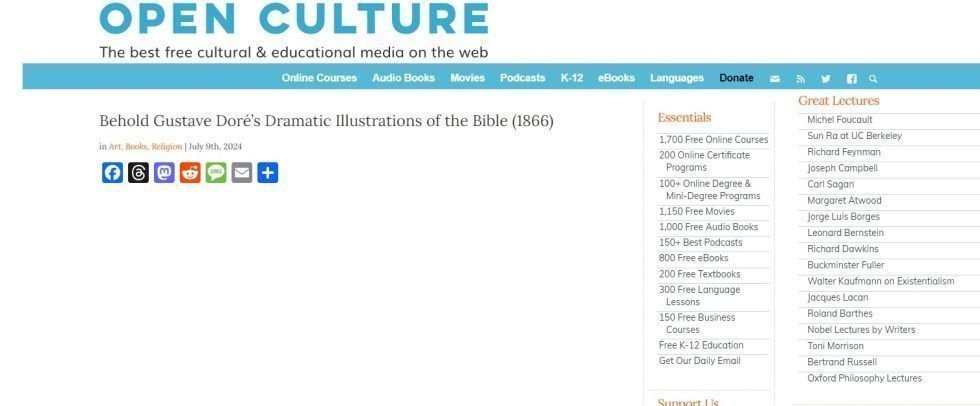
Open Culture
A curator, not a host. Open Culture aggregates links to thousands of free films, audiobooks, courses, and ebooks scattered across the web. The site is funded mostly by donations, not ads, and is careful about copyright. Lists like "4,000+ free movies online" are genuinely useful for discovery — click through and the file usually lives on YouTube, Archive.org, or a university site.
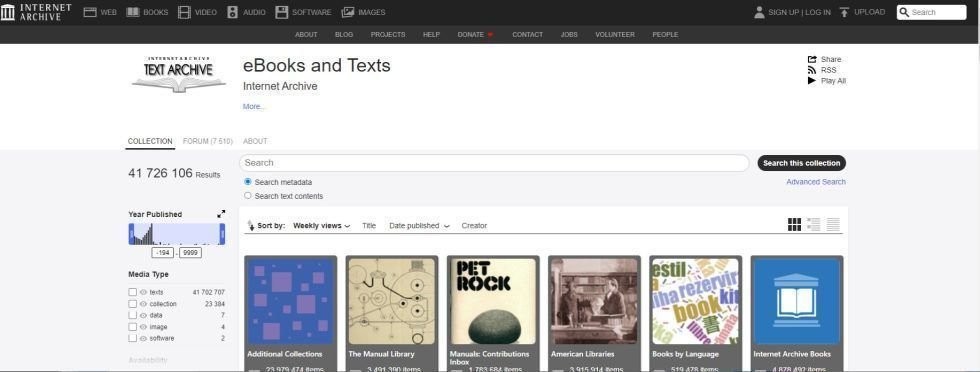
Internet Archive
archive.org is the big one. A non-profit preserving vintage films, scanned books, articles, music compositions, software, and web snapshots — funded by foundations like Mellon, the NEH, and Knight. Millions of items, most with direct HTTP downloads.
Public Domain Movies
A simple catalogue of films whose copyright has lapsed. Useful for classic horror, noir, early animation — comedy, drama, sci-fi too. The films play in full, no interruptions or ads during playback. The interface itself is dated and ad-heavy though, so know what you are looking for before you arrive. No search or sort, either.
Project Gutenberg
The obvious choice for books. Over 70,000 ebooks in EPUB, Kindle, and plain text — all public domain or permission-cleared. Perfect pairing with any EPUB reader.
Free Music Archive
Curated free and Creative Commons music. Good for playlists, podcasts, and video backing tracks where you need real rights clearance, not just "I hope nobody notices."
The usual storage problem
The content is free, but your disk still costs something, and these sites do disappear. Three common failure modes:
- You download a film, it takes 3 GB on your laptop, you never watch it, and it sits there.
- You bookmark a rare recording, come back in six months, and the host is gone.
- You grab a file, finish it, then lose access when the source is reorganised.
The useful pattern is to save the file somewhere persistent that is not your local machine, and ideally somewhere you can stream from without a full download.
Doing it in Seedr
Seedr is a cloud that takes download links. Paste a URL and the file ends up in your Seedr folder instead of on your laptop.
- Sign in at seedr.cc. Free plan for small tests; paid plans for sizeable archives.
- On the source site (Archive.org, Public Domain Movies, Gutenberg, etc.), copy the direct download link.
- Paste it into Seedr's add-link bar, or use the Seedr Chrome/Firefox extension to send the link with one click.
- Seedr fetches the file to your cloud. When it is done, you can: - Stream video and audio in the built-in player (HD, FHD, and 4K on paid plans). - Read EPUB and PDF books in the browser viewer. - Mount Seedr as a drive over WebDAV (Master plan) to browse your archive from Finder or Explorer. - Chromecast or AirPlay content to a TV in V2.
The download runs on Seedr's servers, so your connection does not have to stay up. Useful when you are grabbing a 4 GB scan of a 1920s silent film over hotel Wi-Fi.
Tips and edge cases
- Check the licence. "Free to download" is not the same as "free to re-upload or remix". Honour the terms on the source page.
- Verify file integrity. Archive.org usually publishes checksums. For big downloads, a corrupted file is frustrating to discover after the fact.
- Size limits. Free Seedr storage is small by design. A single 1080p feature can fill it. Plan around that or upgrade.
- Subtitles. Seedr's player has built-in subtitle search and sync, which is handy for older films where subtitles are rarely bundled.
- Format oddities. Very old video files (Real Media, early DivX) may need the right codec path; MKV and MP4 are the safest bets.
Folding this into your library
Once it is in Seedr, the file is workable. A few examples:
- Build a classic-film shelf: add links to Archive.org collections, stream in the browser, cast to TV.
- Build a reading shelf: pull Gutenberg EPUBs and PDFs into one folder, read them in the browser viewer, open the same file on your phone.
- Build an audio shelf: add Free Music Archive downloads, stream without draining phone storage.
A single cloud folder, mountable as a drive, viewable in a browser. The content is free; the part you are paying for is the part that keeps it.
Wrap up
The free-content web is deeper than it looks — you just need to know where to dig and where to keep what you find. Grab the source, drop the link in Seedr, and keep the collection.

Choose the format for the job
EPUB is designed for publication content that a reading system displays; PDF is commonly used when page layout matters.
Keep an original copy and test navigation, fonts and any annotations on your actual device.
Protected books may require the seller's authorized reading app. Do not assume every ebook can be opened in a general viewer.
Frequently asked questions
Will an EPUB always open in a browser tab?
No. It needs a compatible reading system or service. Support and restrictions depend on the book and reader.
Does a PDF annotation rewrite the source text?
Not necessarily. Annotations and text editing are separate operations. Preserve the original when editing matters.
Sources and compatibility notes
Project Gutenberg license: Check the terms attached to each ebook.
W3C EPUB 3.3 specification: EPUB packages structured publication content.
Current Seedr help and plan information lists plan-dependent storage and access. Check your account before choosing a paid feature.
Related guides
האם המאמר הזה עזר לך?
מאמרים קשורים

Best Cloud Storage for Large Video Files (2026)
The best cloud storage for large video files depends on file size, playback, permissions and how files arrive. For 2026, choose based on your workflow.

Jellyfin vs Plex vs Emby — And Where to Store Your Media (2026)
Jellyfin, Plex and Emby organize and serve personal media; all need a running server and an accessible library. Choose by your devices, maintenance.
Automate Radarr with Seedr (Blackhole Setup)
A Radarr Blackhole workflow hands request files to a helper, then imports completed files from a configured folder. Seedr can handle the cloud fetch, but.